
Imagine a professor scans the code on the page that displays your project’s cover. Immediately, he then discovers your entire research folder, your video explaining your project, and your portfolio within a matter of seconds.
This is the difference that the use of a QR code for student projects could come into action.
It’s more than just adding a technology element. It’s about transforming the way your work is perceived.
Think Beyond “Just a QR Code”
The majority of students view QR codes as an add-on for last-minute use.
However, the true potential is in making them an element of your proposal, not only your proposal.
A QR code to help with school work could:
- You can extend your idea beyond the paper
- Engage your audience in your work
- Help your audience explore deeper
Instead of displaying all the things, encourage the viewer to explore.
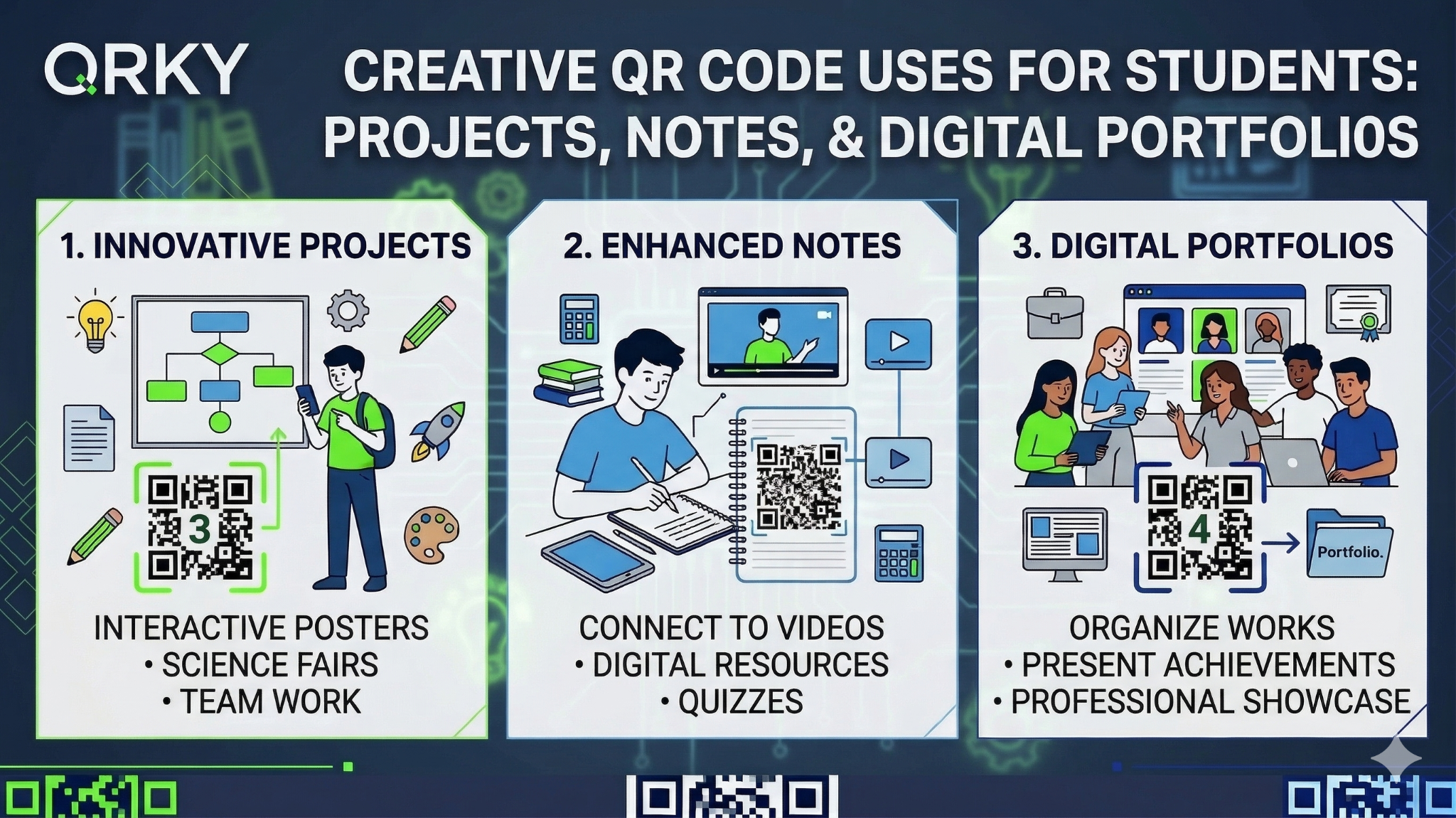
Turn Your Project Into an Experience
Let’s suppose you’re working on a project for marketing.
If you don’t want to write everything into your report, you could:
- Create a QR code to link to a video of the campaign
- Include a second one for the results of the survey.
- Create a third-party account to share your design sketches.
Your project has become a living thing.
It is interspersed, engaging, and memorable.
That’s what professors will remember.
Your Notes Can Be Smarter Too
Notes are generally private.
What if they were shared?
By using the QR code for school assignments, you can:
- Include QR codes in printed notes
- Link them to videos with explanations
- Use them to answer practice questions
Imagine studying for your exams and scanning a code to gain access:
- Your notes
- A YouTube video
- A mock test
This isn’t just about learning. This is intelligent learning.
Build a Digital Portfolio without Saying Much
The majority of students struggle to show their work.
They could be:
- Overload resumes and includes hyperlinks
- Or you don’t have enough to share.
Here’s a more effective approach.
Create a QR code with a project by students to:
- Your resume
- Your portfolio printouts
- Your slides for your presentation
One scan, full portfolio.
Whatever it is, whether it’s design work, programming projects, or case studies, everything is instantly accessible.
It’s clean and professional. It’s confident and professional.
Make Your Posters Actually Work
The college events are everywhere.
Posters? Even more.
However, how many actually convert their attention to the actual act?
Very few.
Add a QR code for school assignments-style planning to the event posters.
You can:
- Direct link to register
- Share event schedules
- Join WhatsApp groups
- Teaser teaser videos for show
Instead of simply educating the poster, it starts performing something.
Use the Tools You Already Know
There is no need to learn something completely from the beginning to the end.
It’s already installed:
- Canva for posters
- Figma is a layout tool for the desktop.
- Adobe for creating work
Simply connect QR codes to these.
Create a poster with Canva. Add a QR code
Create a user interface in Figma. Connect an initial prototype by QR code
Make a portfolio in Adobe and connect it to one scan
By using QRKY, creating the QR codes for students’ projects takes only seconds.
The impact? Much greater.
A Small Skill That Can Make You Money
Here’s something fascinating.
Many students aren’t just focusing on their studies, but also searching for ways to earn money.
Think about this:
Local cafes, restaurants, and event planners require:
- Posters
- Integrations with QR
- Simple digital experiences
If you’re able to:
- Designing with Canva or Figma
- Smartly include QR codes.
- Consider your user experience.
You could even provide this service as an option for a service.
This means:
- Freelance gigs
- Side income
- Experience in the real world
It all begins with an easy QR code to complete school homework assignments.
Not Everyone Gets This Opportunity
But here’s the thing.
Every 3 months, only 10 of the students are chosen.
The students can achieve:
- Real-world campaigns are being developed.
- Utilize tools such as Canva, Figma, and Adobe
- Learn how QR codes drive engagement
- Reward yourself with incentives and bonuses
The most successful performers are the mentors.
It’s not only about using QR codes. It’s not just about using QR.
It’s about acquiring a capability that will be useful outside of college.
What Makes a QR Code Actually Work?
Some QR codes work.
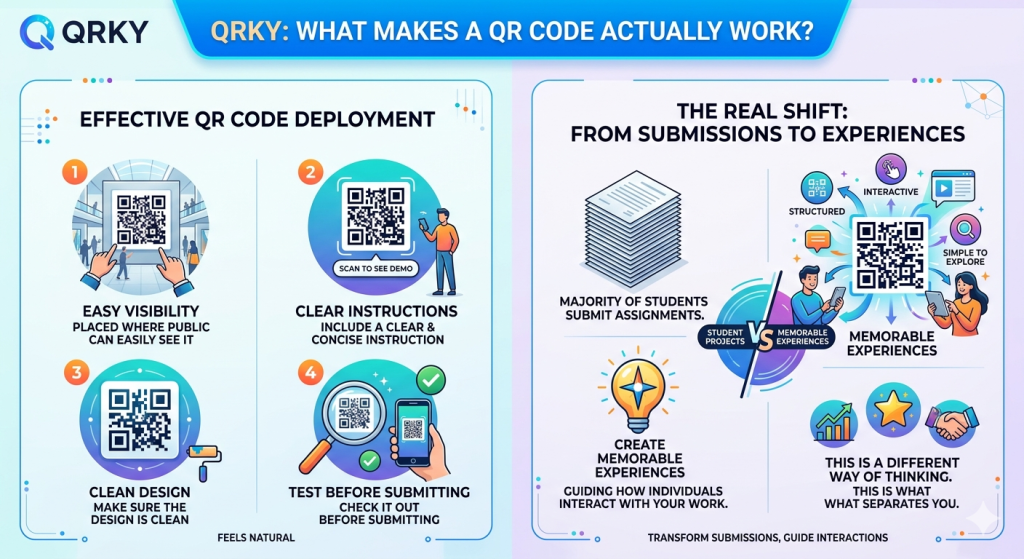
If you would like yours to be noticed:
- It should be placed where the public can easily see it
- Include a clear and concise instruction (“Scan to see demo”)
- Make sure the design is clean
- Check it out before submitting
A good QR code feels natural.
A poor one can feel like it was imposed.
The Real Shift: From Submissions to Experiences
Let’s get the facts straight.
The majority of students submit their assignments.
Very few can create memorable experiences.
If you utilize a QR code for student projects, it’s not just communicating information; you’re guiding how an individual interacts when they work.
This is a different way of thinking.
This is exactly what separates you from the rest.
Final Thoughts
A QR code to complete school work may appear to be an addition of a tiny amount.
When used with creativity, it could:
- Transform your work
- Make notes simpler
- Elevate your portfolio
- In addition, it can provide opportunities to earn money
With QRKY, the procedure is straightforward.
However, the way you use it is where the real creativity is.
Since, in the end, it’s not all about the code.
FAQs:
1. How can students use a QR code for student projects creatively?
Students can use a QR code for student projects to link presentations with videos, research folders, or live demos. With QRKY, they can embed QR codes directly into posters or reports, turning simple submissions into interactive experiences that are more engaging and easier to explore.
2. Why is a QR code for school assignments useful for better presentation?
A QR code for school assignments helps keep work clean and organized by avoiding long links in documents. Using QRKY, students can connect additional resources like case studies, data, or portfolios, making assignments more professional and easier for professors to review.
3. How can QRKY help students improve their digital portfolios?
QRKY allows students to add a QR code for student projects directly to resumes, portfolio prints, or presentations. This lets viewers instantly access their full body of work with one scan, making portfolios more interactive, modern, and impactful.
4. Can students use QR codes to collaborate better on projects and notes?
Yes, a QR code for school assignments can link to shared folders, notes, or group work resources. With QRKY, students can create one code that gives team members instant access to all materials, improving collaboration and reducing confusion during group projects.
5. Can learning QR code usage help students earn or gain opportunities?
Students who understand how to use a QR code for student projects can help create posters, campaigns, or digital assets for college events or small businesses. With QRKY, this skill can lead to freelance work, incentives, and even selection in limited student ambassador programs.