
Your ad caught their eye. Now let it capture their action.
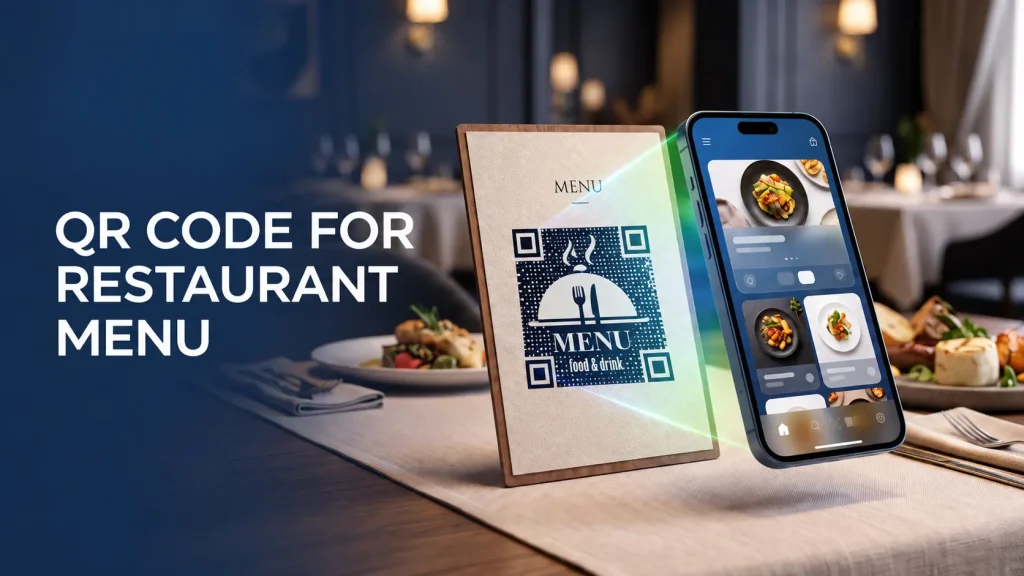
QR Code for Restaurant Menu
Free. No sign-up.

Turn any photo into a scannable QRKY QR — no sign-up
Create your graphical QR
Advanced / endpoints
Adjust your photo
Drag to move • Corners to resize • Double-click to reset
Generating your QR codes…
Your QRKY QR
Saving removes the watermark for paid accounts and stores it under your QRKY account.
Create Scannable QRKY QRs for Every Marketing Asset
QR code for Restaurant menu
Ditch the printed menus and let guests scan instead. A menu QR code opens your digital menu straight from the table, so updates, prices, and specials stay current without reprinting a thing. Works on table tents, stickers, or receipts, no app required to view it.
What Is a QR Code for a Restaurant Menu?
A QR code for a restaurant menu is a simple, scannable code that lets customers view your menu instantly on their phones—no printing or physical menus needed.
With QRKY, creating a menu QR code is quick and seamless. You can customize it with your brand colors, logo, or style, making it feel like a natural extension of your restaurant’s identity. It’s not just a QR code—it’s a tool to make your menu more engaging and accessible.
Beyond convenience, a QR menu can help restaurants gather insights and improve service.
From tracking menu popularity to updating items in real time, QRKY ensures your menu stays dynamic and aligned with your customers’ expectations while keeping the process simple for staff and diners alike.
Why Restaurants Use QR Codes for Menus
Restaurants use QR codes for menus to make ordering faster, cleaner, and more convenient for customers while simplifying menu management.
- Enable contactless menu access
- Reduce printing and reprint costs
- Update menus instantly
- Improve table turnover speed
- Enhance the overall dining experience
Can You Create a Restaurant Menu QR Code for Free?
Many restaurants begin with free menu QR codes to test digital menus or trial QR-based ordering flows.
Free tools are commonly used by cafés, food trucks, and small restaurants during early adoption.
This low barrier helps restaurants experiment before rolling out menu QR codes across all tables or locations.
How Restaurant Menu QR Codes Stay Easy to Scan
A QR code is only useful if it works effortlessly. With QRKY, menu QR codes are designed for maximum readability, ensuring diners can scan them instantly from any smartphone or device. Proper contrast, clear design, and tested sizing ensure smooth scanning every time.
Customizations don’t have to compromise functionality. QRKY lets you add your logo, adjust colors, and style the code while keeping it fully scannable, striking the perfect balance between aesthetics and usability.
Restaurants can also place QR codes thoughtfully on tables, counters, or takeaway packaging so that customers can access the menu naturally. QRKY’s scanning-friendly approach helps diners engage quickly, keeping the focus on the food and experience.
Where Menu QR Codes Are Commonly Placed
Restaurant menu QR codes are typically placed where customers naturally look, including:
- Dining tables
- Countertops and billing desks
- Takeaway and delivery packaging
- Entry signage or waiting areas
These placements ensure menus are accessible throughout the dining journey.
QR Codes and the Modern Dining Experience
In today’s fast-paced dining world, guests expect convenience, safety, and immediacy. QR codes on restaurant menus provide all three, allowing diners to explore your menu instantly without waiting for printed copies. It’s a small change that makes a big impact on customer satisfaction.
With QRKY, restaurants can create visually appealing, branded QR codes that enhance the overall experience. From casual cafes to fine dining, these codes seamlessly integrate into the table setting, providing a modern, touch-free way to access menus.
Beyond convenience, QR menu codes enable dynamic interactions. Restaurants can update menus in real time, highlight specials, or link to recipes and promotions—all while gathering insights to improve service. QRKY turns a simple scan into a smarter, more engaging dining journey.
QR Code Menus vs Traditional Printed Menus
Printed menus are static and require frequent reprinting, while QR code menus are easy to update and reuse.
Menu QR codes improve cost efficiency and customer convenience, especially for restaurants that change offerings, prices, or specials regularly.
Best Practices for Using QR Codes on Restaurant Menus
Effective menu QR codes follow practical guidelines:
- Place QR codes where customers expect to find menus
- Ensure menus load quickly on mobile devices
- Test scans under different lighting and seating conditions
These practices help ensure a smooth dining experience.
Create a QR Code for Your Restaurant Menu
Create menu QR codes that are simple for customers to scan and easy for restaurants to manage.
Designed for everyday restaurant use, QRKY helps you create menu QR codes that fit naturally into real dining environments.
Create Your QRKY QR in 3 Simple Steps
1
Enter Your URL
2
Upload Your Photo
3
Generate QRKY QR
Used and Trusted
Proven across industries and environments






FAQs
What is a QR code for a restaurant menu?
It is a QR code that opens a digital menu when customers scan it with their phone.
Can restaurant menu QR codes be created for free?
Yes, many tools allow restaurants to create basic menu QR codes at no cost.
Where should menu QR codes be placed?
They are commonly placed on tables, counters, entry signage, and takeaway packaging.
Are QR menu codes suitable for small restaurants?
Yes, they are widely used by small cafés, food trucks, and independent restaurants.
Do menu QR codes work without an app?
Most smartphones can scan QR codes directly using the built-in camera.
Can menu content be updated after creating a QR code?
With dynamic setups, menu content can be updated without changing the QR code itself.
Do QR code menus work in low-light restaurant settings?
Yes, when designed with proper contrast and tested under real lighting conditions.
Are QR code menus suitable for printed table tents or stickers?
Yes, they work well on table tents, stickers, and laminated cards when sized correctly.
Can the same menu QR code be used across multiple tables?
Yes, a single QR code can be reused across tables and locations.
Are QR code menus suitable for long-term use?
Yes, when designed thoughtfully, they are commonly used as long-term menu access points.
Ready to Create Your QRKY QR?
Turn any photo into a fully scannable QRKY QR in just a few clicks. Start for free; no sign-up required, or connect with our team to discover how QRKY can elevate your next campaign.
