
Your ad caught their eye. Now let it capture their action.
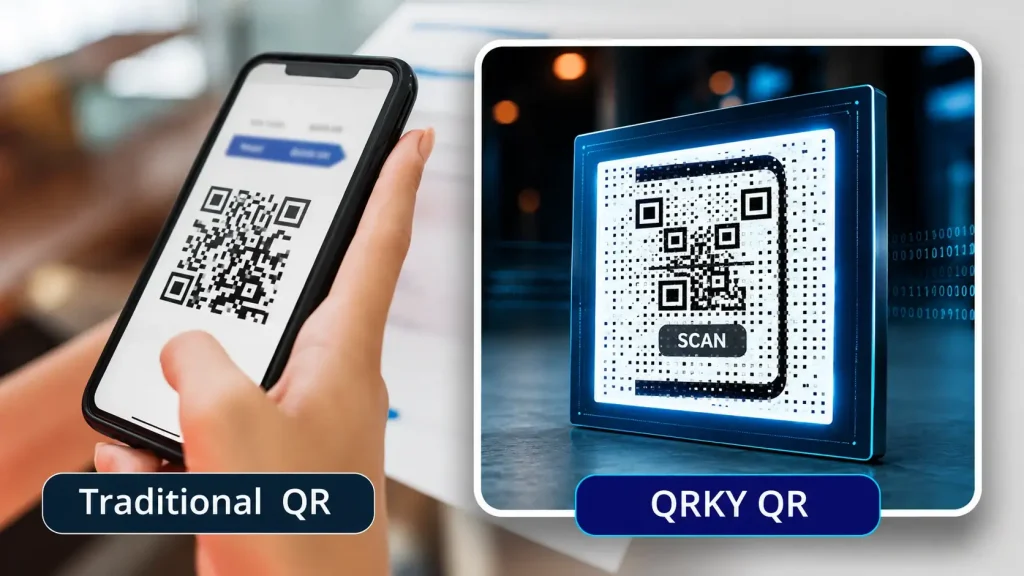
Scannable QR Code Generator
Free. No sign-up.

Turn any photo into a scannable QRKY QR — no sign-up
Create your graphical QR
Advanced / endpoints
Adjust your photo
Drag to move • Corners to resize • Double-click to reset
Generating your QR codes…
Your QRKY QR
Saving removes the watermark for paid accounts and stores it under your QRKY account.
Create Scannable QRKY QRs for Every Marketing Asset
What Makes a QR Code Scannable?
A scannable QR code is one that works consistently in real-world conditions, not just on a screen. It scans quickly, accurately, and without requiring multiple attempts from the user. Some QR codes fail due to poor contrast, excessive design changes, or incorrect sizing. Scan reliability matters more than appearance alone because a QR code that doesn’t scan instantly breaks the user experience.
Why Scan Reliability Matters for Businesses
For businesses, scan reliability directly affects engagement and trust:
- Reduces missed interactions at the point of scan
- Improves user confidence and willingness to engage
- Avoids friction in customer journeys
Can You Create a Scannable QR Code for Free?
Yes, you can create a scannable QR code for free using basic QR code generators, though free options usually come with limited features.
- Basic QR codes are easy to generate
- Limited design and customization options
- No advanced tracking or analytics
- Fixed content that cannot be edited
- Suitable for simple, one-time use
Common Reasons QR Codes Fail to Scan
QR codes often fail due to avoidable issues:
- Poor contrast between the code and background
- Overdesign or visual distortion
- Incorrect sizing for the intended medium
Understanding these pitfalls reassures users and helps prevent real-world scan failures.
Where Highly Scannable QR Codes Are Most Important
Scan reliability is critical in environments where users are on the move or have limited time:
- Retail counters and point-of-sale displays
- Print ads and outdoor media
- Packaging and product labels
- Events and on-the-go interactions
Scannable QR Codes and User Experience
Scannable QR codes play a key role in creating smooth, frustration-free user experiences across digital and physical touchpoints.
With QRKY, QR codes are designed to scan quickly and reliably, ensuring users reach the intended content without delays.
- Faster scans reduce user drop-offs
- Clear designs improve scan accuracy
- Works well across devices and cameras
- Supports seamless offline-to-online journeys
- Builds trust through reliable performance
Scannable QR Codes vs Poorly Optimised QR Codes
Scannable QR codes outperform poorly optimised ones by offering:
- Faster scan speed
- Consistent performance across devices
- Better real-world usability
Poorly optimised QR codes may look creative but often fail under real conditions.
Best Practices for Creating Scannable QR Codes
- Maintain clear contrast between the QR code and background
- Avoid unnecessary visual elements or heavy customisation
- Test across lighting conditions and scan distances
Create a Scannable QR Code
Create QR codes that work every time—across screens, print, and real-world environments.
Create Your QRKY QR in 3 Simple Steps
1
Enter Your URL
2
Upload Your Photo
3
Generate QRKY QR
Used and Trusted
Proven across industries and environments






FAQs
What makes a QR code scannable?
A QR code is scannable when it has proper contrast, correct sizing, and a clean structure that scanners can read easily.
Why do some QR codes not scan properly?
Poor contrast, overdesign, incorrect sizing, or bad placement are common reasons QR codes fail to scan.
Can I create a scannable QR code for free?
Yes, many users test scannable QR codes using free tools before using them in real campaigns
How can I test QR code scan quality?
Test the QR code on multiple devices, under different lighting conditions, and at various distances.
Do scannable QR codes work on all devices?
Yes, properly designed scannable QR codes work across modern smartphones and QR scanners.
Are scannable QR codes suitable for print materials?
Yes, they are especially important for print, packaging, and outdoor use where scanning conditions vary.
Does custom design affect QR code scannability?
Excessive customization can reduce scan reliability if contrast and structure are compromised.
Are scannable QR codes better for business use?
Yes, businesses rely on scannable QR codes to avoid failed interactions and lost engagement.
Can the same scannable QR code be reused across locations?
Yes, a well-designed QR code can be reused across multiple touchpoints and environments.
What should I avoid when creating scannable QR codes?
Avoid low contrast, busy backgrounds, extreme styling, and skipping real-world testing.
Ready to Create Your QRKY QR?
Turn any photo into a fully scannable QRKY QR in just a few clicks. Start for free; no sign-up required, or connect with our team to discover how QRKY can elevate your next campaign.
