
Your ad caught their eye. Now let it capture their action.
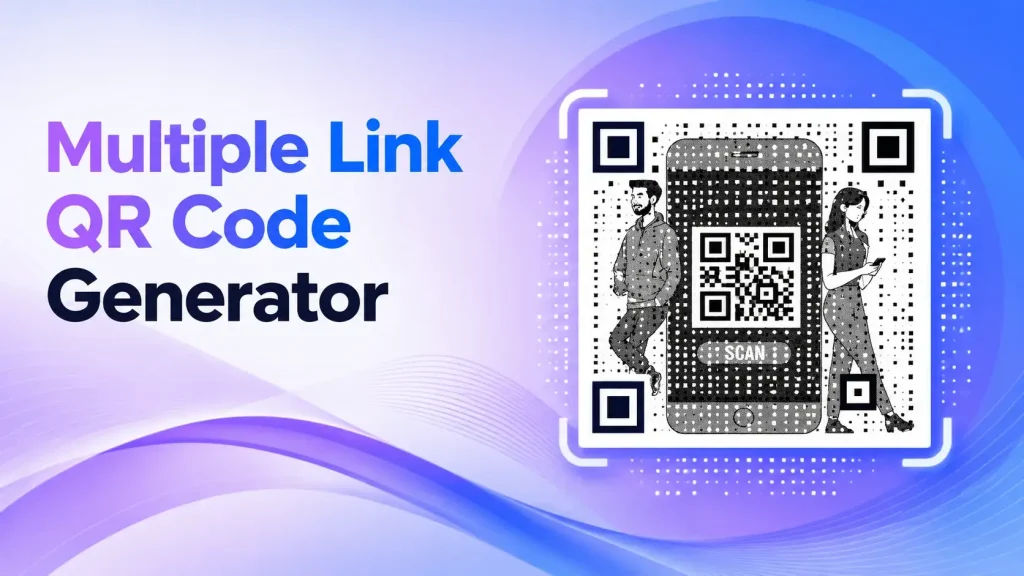
Multiple Link QR Code Generator
Free. No sign-up.

Turn any photo into a scannable QRKY QR — no sign-up
Create your graphical QR
Advanced / endpoints
Adjust your photo
Drag to move • Corners to resize • Double-click to reset
Generating your QR codes…
Your QRKY QR
Saving removes the watermark for paid accounts and stores it under your QRKY account.
Create Scannable QRKY QRs for Every Marketing Asset
Multiple Link QR Codes for Dynamic Campaigns
A multiple link QR code generator allows you to share several destinations through one scannable code—ideal for campaigns, profiles, menus, and evolving content where one link is never enough.
Create a single QR code that opens multiple links—organized, flexible, and easy to update for different audiences and use cases.
Significance of a Multiple Link QR Code Generator
A multiple link QR code lets one scan lead to several destinations instead of just one. Rather than creating and managing multiple QR codes, businesses can offer users clear choices after scanning.
Unlike single-link QR codes that point to only one URL, multiple link QR codes act as a gateway—organizing content in one place and reducing friction for both brands and users.
This approach keeps experiences clean, flexible, and easier to scale as content grows.
Why Businesses Use Multiple Link QR Codes
Businesses choose multiple link QR codes to simplify how information is shared and accessed.
They reduce visual clutter by replacing several QR codes with one, give users structured options instead of forcing a single action, and allow campaigns to stay flexible across channels.
The value lies in clarity and convenience—one scan, multiple choices, and a smoother user experience.
Can Multiple Link QR Codes Be Created for Free?
Many users start by creating multiple link QR codes for free to test layouts, link combinations, and user flow before committing to larger campaigns.
Free options are especially useful during early experimentation, pilot campaigns, or internal testing where flexibility matters more than advanced controls.
This allows teams to explore the format without immediate cost pressure.
How Multiple Link QR Codes Work
Multiple link QR codes work through a simple flow designed for ease of use.
After scanning, users are taken to a landing interface where several links are displayed clearly. Each option directs them to a different destination based on their intent.
For first-time users, this model feels intuitive—scan once, choose next—without technical complexity.
Where Multiple Link QR Codes Are Commonly Used
Multiple link QR codes are widely used across industries and formats, including:
- Product packaging with multiple actions or resources
- Marketing and promotional campaigns
- Event materials and registrations
- Digital or physical menus and catalogs
- Business profiles, portfolios, and creator pages
Their adaptability makes them suitable wherever information needs to stay organized yet accessible.
Multiple Link QR Codes in Real-World Use
In real-world scenarios, multiple link QR codes help users navigate content without feeling overwhelmed.
Instead of forcing all audiences down one path, brands can offer tailored choices—supporting discovery, personalization, and better engagement from a single scan.
QR codes should guide users clearly, not overload them with decisions.
Multiple Link QR Codes vs Single Link QR Codes
Compared to single link QR codes, multiple link QR codes offer greater flexibility and improved user experience.
They allow content to be grouped logically, adapt better to changing campaigns, and reduce the need to redesign or replace QR codes frequently.
For use cases that evolve over time, multiple link QR codes provide a more future-ready solution
Why Businesses Choose QRKY
Many QR generators only provide basic payment QR functionality.
QRKY is designed for businesses that want scalable, branded, and engagement-focused payment experiences.
With QRKY, businesses get:
- Dynamic QR management
- Real-time analytics
- Branded QR customization
- Mobile-optimized payment journeys
- Flexible payment campaign management
- Easy deployment
- Scalable customer engagement tools
- Better transaction experiences
Whether you want to simplify checkout, improve payment branding, increase customer trust, or modernize payment collection, QRKY helps businesses create smarter payment experiences.
Best Practices When Creating Multiple Link QR Codes
To ensure clarity and usability:
- Keep the number of links focused and intentional
- Organize links in a logical, easy-to-scan order
- Test the user journey before sharing publicly
These practices help maintain simplicity while delivering flexibility.
Create a Multiple Link QR Code
Create one QR code that leads to multiple destinations—without confusion or clutter.
Start with a few essential links, refine based on user behavior, and expand as needed while keeping the experience clean.
Create Your QRKY QR in 3 Simple Steps
1
Enter Your URL
2
Upload Your Photo
3
Generate QRKY QR
Used and Trusted
Proven across industries and environments




FAQs
What is a multiple link QR code generator?
A multiple link QR code generator creates a single QR code that opens several links after scanning. It helps organize multiple destinations into one scannable experience.
How many links can one QR code contain?
The number of links depends on the platform, but it’s best to keep options focused so users can choose quickly without feeling overwhelmed.
Are multiple link QR codes free to create?
Many tools allow free creation for testing and early use cases. This helps users experiment before scaling their campaigns.
When should I use a multiple link QR code?
They are ideal when you need to share more than one destination—such as menus, profiles, campaigns, or product resources.
Do multiple link QR codes work on print materials?
Yes. When designed and tested properly, they work reliably on print as well as digital formats.
Can I update links after creating the QR code?
In many cases, links can be updated without changing the QR code itself, making it easier to manage evolving content.
Are multiple link QR codes suitable for marketing campaigns?
Yes. They offer flexibility and allow campaigns to guide users toward different actions from one entry point.
Do users need special apps to scan them?
No. Multiple link QR codes can be scanned using standard smartphone cameras or QR scanning apps.
Can multiple link QR codes improve user experience?
They reduce confusion by offering clear choices instead of forcing a single action, which often leads to better engagement.
Are multiple link QR codes better than single link QR codes?
They’re better for flexible, content-rich use cases, while single link QR codes remain effective for simple, direct actions.
Ready to Create Your QRKY QR?
Turn any photo into a fully scannable QRKY QR in just a few clicks. Start for free; no sign-up required, or connect with our team to discover how QRKY can elevate your next campaign.
