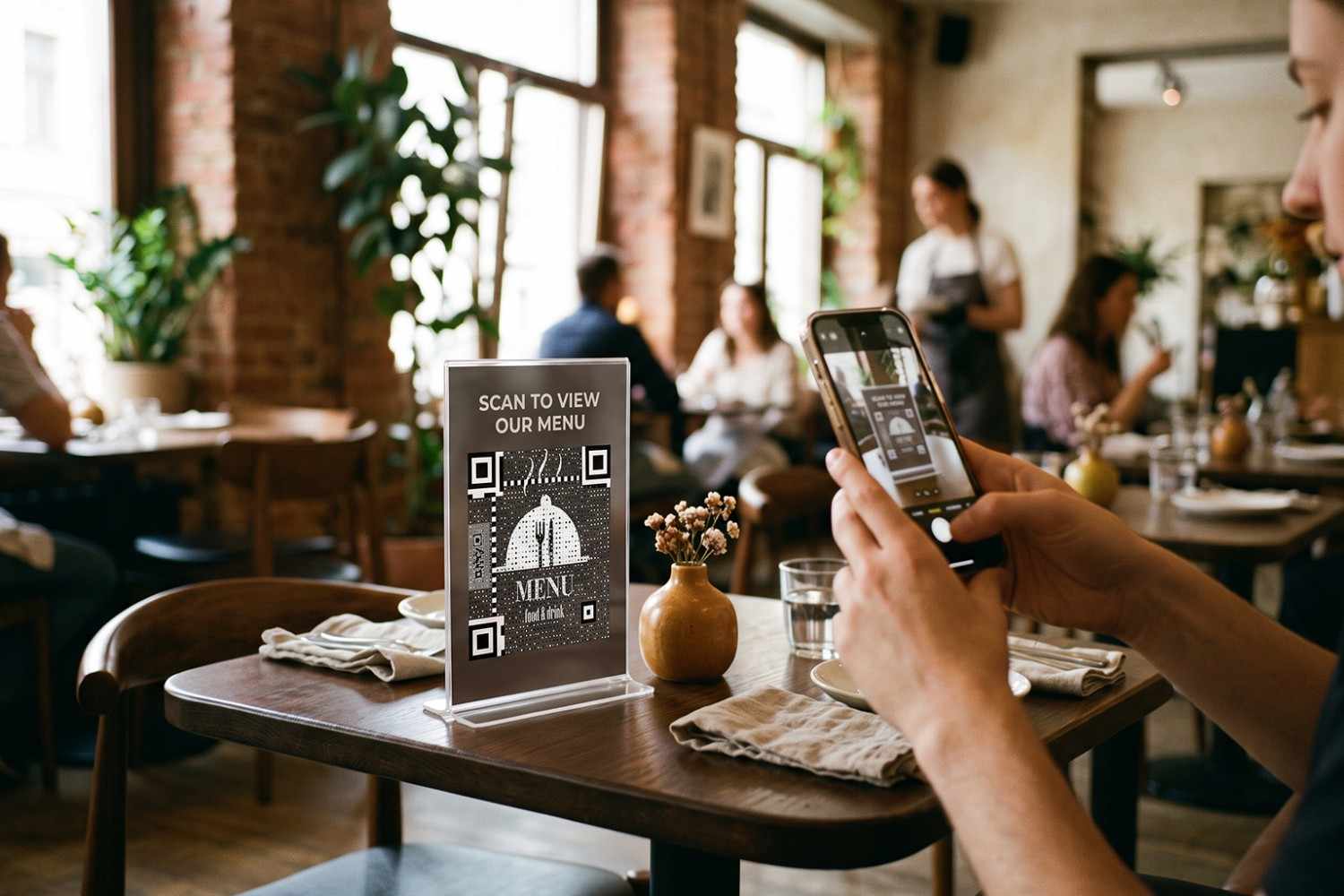
A restaurant menu no longer has to be limited to what fits on a printed card. With a QR code for a restaurant menu, customers can scan their table, open a digital menu, and browse the available dishes from their phone.
That simple change can make menus easier to update, especially when restaurants regularly adjust prices, seasonal dishes, availability, or specials. It can also reduce the need to reprint menus every time something changes.
The important part is creating a QR experience that feels effortless rather than adding another obstacle to ordering. This guide explains how restaurant QR codes work, what they can link to, where to place them, and how to create one that customers can actually use.
What Is a QR Code for a Restaurant Menu?
A QR code for a restaurant menu is a scannable code that directs customers to a digital version of the menu. The destination might be a mobile-friendly webpage, online menu, ordering platform, or restaurant website.
Instead of handing every customer a printed menu, the restaurant can place the code on tables, counters, window displays, takeaway packaging, or other customer-facing materials.
Customers scan the code using their phone camera and access the menu without downloading a dedicated application in most cases.
How Does a Restaurant QR Code Work?
The process is straightforward. A QR code stores or references information that allows a scanning device to reach its intended digital destination.
For a restaurant menu, that destination should open quickly on a mobile-friendly page. Customers can then browse categories, descriptions, prices, dietary information, photographs, or other details provided by the restaurant.
A dynamic QR code can add another layer of flexibility because the destination can be updated without replacing the physical code. This is particularly useful when menus change frequently.
Why Restaurants Are Switching to Digital Menus
A printed menu can work perfectly well, but it becomes harder to manage when dishes, prices, or promotions change regularly. Digital menus give restaurants another way to handle those changes without repeatedly redesigning and printing physical materials.
Here are some of the practical advantages:
- Faster updates: Change dishes, prices, or availability without replacing every printed QR display.
- More information: Digital pages can include photos, descriptions, allergens, dietary details, and additional content.
- Less reprinting: Restaurants can reduce the need for new menus when small changes occur.
- Flexible promotions: Seasonal dishes and special offers can be added without redesigning the physical material.
- Multiple access points: One menu can be reached from tables, packaging, signage, and other customer touchpoints.
Static vs Dynamic QR Codes for Restaurant Menus
Both types can work for restaurant menus, but they offer different levels of flexibility. The right choice depends largely on how often the menu changes and whether the restaurant needs scan analytics.
| Factor | Static QR code | Dynamic QR code |
| Destination changes | Usually requires a new code | Can be updated |
| Physical reprinting | May be required after changes | Usually unnecessary for destination updates |
| Scan analytics | Generally unavailable | Often available |
| Best suited to | Stable, simple menus | Frequently changing menus |
| Ongoing flexibility | Limited | Higher |
A restaurant with a permanent menu may have little reason to use a dynamic setup. A restaurant with frequent seasonal changes can benefit much more from one.
How to Create a Restaurant Menu QR Code
Creating a restaurant QR code does not require advanced technical knowledge. The main work is choosing a suitable digital menu and making sure the finished code works in the environment where customers will scan it.
Step 1: Prepare Your Digital Menu
Start by creating the page customers will see after scanning. Keep it mobile-friendly and organize dishes into clear categories such as appetizers, entrees, desserts, drinks, or specials.
Include the information customers actually need to make an order. Depending on the restaurant, this could include prices, ingredients, portion information, allergen details, dietary labels, or photographs.
Step 2: Choose a QR Code for Restaurant Menu Generator
Select a QR platform that supports the type of menu experience you want to provide. If menu changes are frequent, look for a dynamic QR option that lets you update the destination later.
A suitable generator should make creating, testing, and managing the code straightforward rather than requiring technical work every time a menu changes.
Step 3: Add Your Menu URL
Enter the URL for your digital menu into the generator. Check the address carefully before generating the code, especially if the menu sits behind a specific page or ordering system.
If the destination is likely to change later, consider using a dynamic QR code from the beginning.
Step 4: Customize the QR Code
A restaurant does not necessarily need an elaborate design. You can add brand colors, a logo, or a simple frame while maintaining enough contrast for reliable scanning.
Keep the design consistent with the restaurant’s existing branding. The goal is to make the code recognizable without turning it into a decorative element that becomes difficult to scan.
Step 5: Test the Code
Scan the finished code using several phones and check the complete customer journey. Make sure the menu opens quickly, displays correctly, and contains the information customers need.
Then test the physical version if the code will appear on table cards, menus, packaging, or signage. Size, lighting, and surface material can affect the scanning experience.
Step 6: Print and Place the Code
Once testing is complete, print the QR code on the materials customers are most likely to see.
Table cards are common, but restaurants can also use QR codes at entrances, counters, takeaway bags, receipts, windows, and promotional displays.
Where Should Restaurants Place Menu QR Codes?
Placement can determine whether customers notice and use a QR code. A code that is technically perfect still has little value if it is hidden, too small, or surrounded by distracting information.
On Restaurant Tables
Table cards, stands, and tent cards put the menu directly in front of customers. This is particularly useful when guests are waiting to order or want to browse dishes before speaking with staff.
At the Entrance
A QR code near the entrance lets customers browse the menu before deciding whether to dine. This can be useful for restaurants in busy areas where people often check options before entering.
On Takeaway Packaging
Adding a restaurant QR code to takeaway bags or containers creates another opportunity to bring customers back. The code could link to the menu, reorder page, loyalty program, or current promotion.
On Receipts
Receipts can provide a useful post-visit touchpoint. A restaurant might link the code to its menu, review page, loyalty program, or a feedback form depending on the desired customer journey.
On Windows and Promotional Materials
A window QR code can connect passersby with the restaurant’s menu, reservations, delivery options, or current offer before they walk inside.
How to Make a Restaurant QR Menu Easier to Use
A QR code is only the starting point. The digital menu itself needs to make browsing straightforward, particularly because most customers will access it from a phone.
Keep category names clear and make important information easy to find. Avoid forcing customers through unnecessary pop-ups, account registrations, or multiple pages before they can see the food.
Images can help showcase signature dishes, but they should not make the page unnecessarily slow. Prices and availability should also remain easy to locate.
Most importantly, keep the menu current. A customer who scans a code only to find discontinued dishes or incorrect prices will quickly lose confidence in the digital experience.
Common Mistakes Restaurants Should Avoid
One common mistake is linking the QR code to a PDF that is difficult to read on a phone. A mobile-friendly webpage will generally provide a smoother browsing experience.
Restaurants should also avoid making the code too small or placing it on a visually busy background. Customers should immediately understand what the code does, so a short instruction such as “Scan to view our menu” can provide useful context.
Another issue is forgetting to test the code after making changes. A menu URL can be moved, deleted, or accidentally restricted. Regular checks help prevent customers from encountering a broken page.
How Dynamic QR Codes Help With Seasonal Menus
Restaurants often change menus around holidays, seasons, ingredients, events, or special promotions. Reprinting every physical QR display for each update can become unnecessary work.
A dynamic QR code allows the restaurant to keep the same physical code while changing the digital destination behind it. A summer menu can become a fall menu without replacing the table cards.
The same approach can work for limited-time promotions. A code can direct customers to a seasonal menu during one campaign and then be updated for the next.
Using Restaurant QR Codes Beyond Menus
A restaurant QR code does not have to stop at the menu. Once customers are comfortable scanning it, the same physical touchpoint can support other parts of the customer experience.
Depending on the placement, a code can lead to:
- online ordering
- table reservations
- customer feedback
- loyalty programs
- social media pages
- special promotions
- allergen and dietary information
- restaurant contact details
The destination should always match the context. A table code can focus on the menu, while a receipt code may be more useful for reviews or loyalty.
Wrapping Up: Make Your Menu Easier to Access
A restaurant QR code gives customers a quick way to access menu information from their phones while giving restaurants greater control over digital content. The biggest advantage comes when the physical code stays in place while the menu behind it can evolve.
Choose a mobile-friendly destination, make the code easy to spot, and test it where customers will actually use it. QRKY’s QR code tools help restaurants create branded, flexible QR experiences that connect physical dining spaces with digital menus and services.
Frequently Asked Questions
Can one restaurant QR code work for multiple locations?
Yes, but the best setup depends on how each location manages its menu. A centralized destination can display location-specific options after customers select a restaurant. Separate codes may be more practical when menus, prices, or ordering systems vary substantially between locations.
Should a restaurant QR code open an app or website?
A mobile-friendly website is usually the simplest starting point because customers can access it directly through their phone browser. Requiring an app download adds another step before customers can see the menu, which may create unnecessary friction during a dining visit.
Can restaurant QR codes include allergen information?
Yes. A digital menu can provide more detailed allergen and dietary information than a small printed menu. Restaurants should ensure this information is accurate, clearly presented, and reviewed regularly, particularly when ingredients, suppliers, or recipes change.
How often should a restaurant test its menu QR code?
There is no universal testing schedule, but restaurants should check codes regularly and whenever the menu, website, hosting setup, or linked platform changes. A quick scan before busy periods or major menu updates can help identify broken destinations before customers encounter them.
Can customers use a restaurant QR code without mobile data?
Customers generally need internet access to load an online digital menu after scanning. A QR code itself does not provide an internet connection. Restaurants should therefore avoid assuming every guest can access the menu and retain suitable alternatives where needed.