A QR code can take customers from a physical touchpoint to a digital experience in seconds. But when that code appears on a product package, restaurant menu, event poster, business card, or advertisement, appearance matters too. A plain QR code may work perfectly, yet a well-designed one can feel more connected to the brand and more inviting to scan.
The challenge is finding the right balance. Add too many visual elements, and the code may become difficult to scan. Keep it too basic, and it may look disconnected from an otherwise polished brand identity.
That is where a branded QR code generator can help. With the right approach, businesses can create visually distinctive QR codes while protecting the elements that make them reliable and easy to scan.
Start with a Clear Purpose for the QR Code
Before thinking about colors, logos, or creative effects, decide what the QR code needs to accomplish. Is it taking customers to a product page? A feedback form? A digital menu? An event registration page? A social media profile?
The destination determines how the QR code will be used and where it will appear. A restaurant may place one on a table, while a retailer may print one on packaging. A conference organizer may display one on an event badge.
A clear purpose also helps you create a better experience after the scan. Customers should immediately understand what they can access and why scanning the code is worthwhile.
Build the Design Around Your Brand Identity
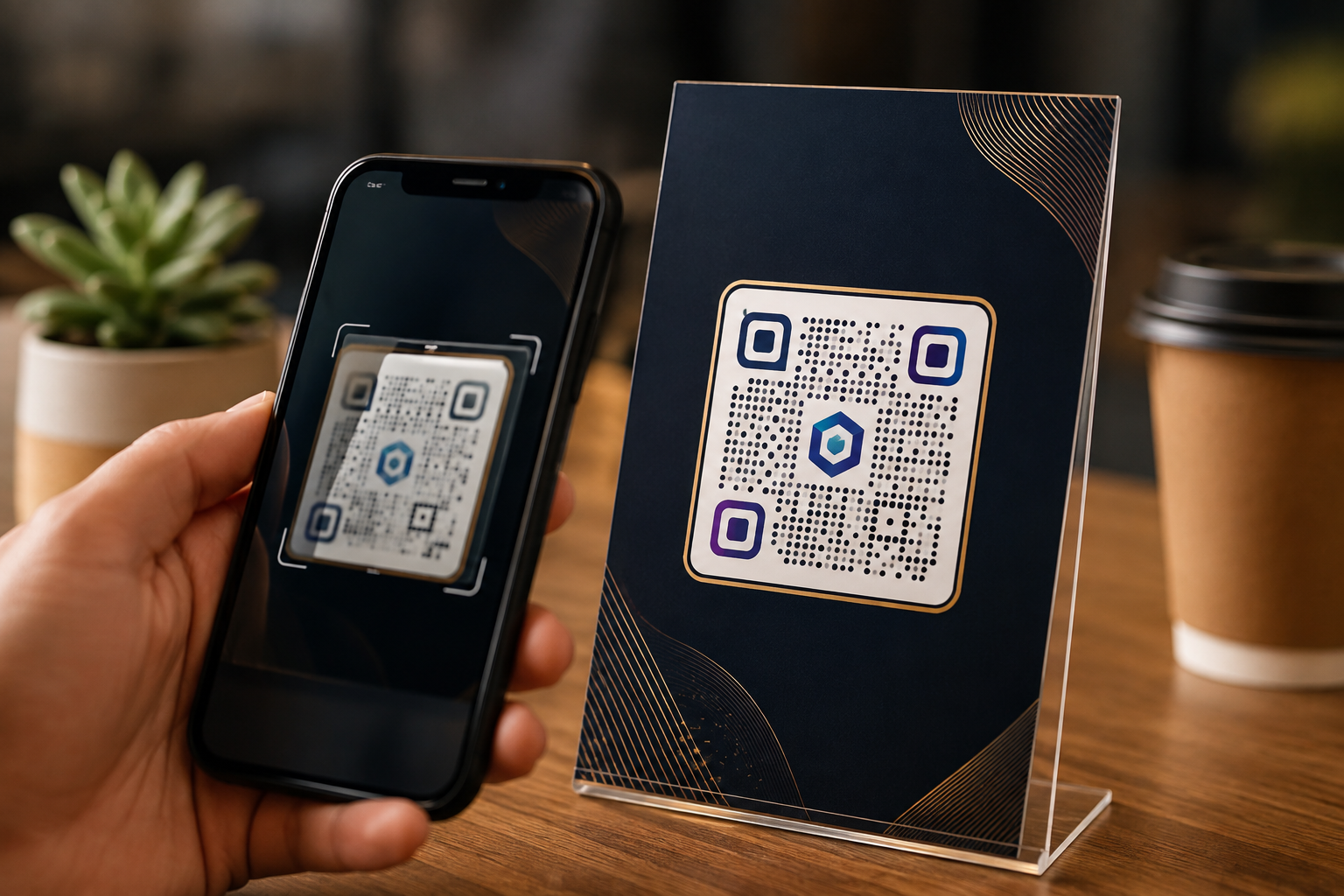
Branding should make the QR code feel like part of the overall creative rather than an afterthought. Your custom QR code design can reflect elements of your existing identity, such as brand colors, visual style, or selected design elements.
For example, a premium brand may prefer a clean, understated QR treatment, while a youth-focused campaign may use a more expressive visual approach.
The goal is consistency. When the QR code looks like it belongs to the brand, it can feel more intentional and professional.
Prioritize Contrast Over Decoration
A branded QR code still needs to be easy for a camera to recognize. One of the most important design considerations is contrast between the QR pattern and its background. If the foreground and background are too similar, scanning performance may suffer.
This is why creative customization should never come at the expense of readability. Strong contrast, a clean background, and sufficient visual separation help preserve the code’s structure.
Before publishing a design, test it under realistic conditions rather than judging it only on a computer screen.
Keep the Scanning Area Clear
The space surrounding a QR code is not simply wasted design space. It helps scanning systems distinguish the code from nearby elements.
Avoid placing text, graphics, borders, or decorative patterns too close to the QR’s edges. A crowded design can make it harder for cameras to correctly identify the code.
If you are incorporating the QR into a larger visual, give it enough breathing room to remain visually distinct.
Customize Without Losing the QR Structure
Modern QR design tools allow businesses to experiment with shapes, patterns, colors, frames, and other visual elements. However, customization should work with the QR structure rather than against it.
A good design enhances recognition without making the underlying pattern difficult to interpret.
This is especially important when creating custom QR code design for printed materials. A code that looks impressive on a large monitor may behave differently when printed on a small package or viewed under uneven lighting.
Consider AI-Powered QR Experiences
AI is opening up new possibilities for QR design. Instead of simply changing the color or adding a logo, an AI QR code generator can help create QR visuals that integrate more naturally with a campaign or creative concept.
For example, a brand could explore a QR experience that incorporates imagery related to its product, campaign, or environment while retaining its scanning functionality.
This creates an opportunity to make the QR itself part of the visual storytelling rather than treating it as a separate technical component.
However, creative experimentation should always be followed by thorough testing. An artistic QR that does not scan reliably does not deliver value.
Test Your QR Code Before Publishing
Never assume that a QR code works simply because it looks correct.
Test the final version using multiple smartphones and, where possible, different camera or scanning applications. Check the code from different distances and angles.
If the QR will be printed, test the printed version as well. Consider the actual size, paper quality, lighting, and placement.
A reliable scannable QR code should work in the environment where customers are expected to use it, not just in the design software where it was created.
Design for the Actual Placement
The same QR code may require different design considerations depending on where it appears.
On Packaging
Keep the code visible and make sure surrounding graphics do not interfere with scanning. Customers should be able to identify it quickly.
On Posters and Advertisements
Use sufficient size and contrast, particularly when people will be scanning from a short distance. A simple call to action can also explain what the scan provides.
On Business Cards
Keep the design compact without making the QR too small. Connect it to something useful, such as a digital profile or contact page.
On Menus and Table Displays
Place the code where customers can comfortably access it. Avoid positioning it where objects, food, or table accessories could obstruct the scanning area.
Give Customers a Reason to Trust the Scan
Design alone does not create trust. Context matters. A customer is more likely to scan when they understand where the code will take them. A simple prompt such as “View Menu,” “Explore Product Details,” or “Book an Appointment” sets an expectation before the scan.
The destination should then deliver what was promised. If a code promises to open a menu but instead leads to an unrelated page, the experience can quickly erode confidence.
A branded QR should therefore connect three elements: recognizable design, clear communication, and a reliable destination.
Use QR Codes as Part of a Larger Brand Experience
The strongest QR implementations do not treat the code as an isolated feature. They make it part of the customer journey.
A product package can lead to a tutorial. A restaurant table can lead to a digital menu. An event badge can open the attendee schedule. A business card can connect to a professional profile. This approach makes the QR code useful rather than decorative.
Platforms such as QRKY are moving QR experiences in this direction by combining visual customization with practical digital use cases. The focus is not simply on creating a different-looking QR code, but on making the scan a natural part of the overall brand interaction.
Final Thoughts
A well-designed QR code should achieve two things at the same time: represent the brand and remain easy to scan. The best results come from treating design and functionality as equally important rather than sacrificing one for the other.
From maintaining strong contrast and clear spacing to testing the final design across devices and environments, every detail contributes to the experience. When customers recognize the brand, understand what the scan offers, and can access the destination without difficulty, the QR code becomes a trusted bridge between the physical and digital worlds.
Ready to create QR codes that look like part of your brand and still deliver a reliable scanning experience? Use QRKY to explore branded and creative QR experiences designed for modern customer touchpoints. Create your QR today and turn every scan into a meaningful brand interaction.
FAQs:
1. Can QRKY create branded QR codes?
Yes. QRKY allows businesses to create visually engaging QR experiences that can be adapted to their brand identity. Instead of relying solely on a standard black-and-white QR code, businesses can explore creative designs that fit naturally into packaging, marketing materials, advertisements, and other customer touchpoints.
2. Can I create a custom QR code with QRKY?
Yes. QRKY supports creative QR experiences that allow businesses to move beyond basic QR designs. You can create visually distinctive codes for different campaigns and customer interactions while maintaining a smooth, reliable scanning experience.
3. Does QRKY support AI-generated QR code designs?
Yes. QRKY’s AI-powered QR experiences enable businesses to explore more creative ways to integrate QR functionality into visual content. This can help transform the QR code from a simple technical element into a more engaging part of a campaign, product creative, or branded experience.
4. Will QRKY’s creative QR codes remain scannable?
QRKY focuses on creating QR experiences that combine visual creativity with functionality. However, businesses should always test their final QR design across relevant devices, sizes, and real-world environments before publishing or printing it to ensure customers can scan it reliably.
5. How can QRKY help improve customer engagement?
QRKY helps businesses turn QR codes into more engaging digital touchpoints. A QR code can connect customers to product information, menus, forms, websites, campaigns, or other digital destinations. When the design fits naturally with the brand and the destination provides clear value, every scan can become a meaningful interaction.