A QR code may only take a second to scan, but that small interaction can leave a lasting impression of your brand. A standard black-and-white code gets people where they need to go. A branded QR code can do that while looking and feeling like part of your business.
Add your brand colours, logo, and visual style, and a QR code becomes more than a functional shortcut. It can sit naturally on product packaging, business cards, menus, posters, signage, and promotional materials without looking out of place. More importantly, every scan creates another touchpoint between your brand and your audience.
The key is getting the balance right. A branded QR code still needs to be easy to recognise and scan, while fitting seamlessly into your wider visual identity. This guide explores what makes a QR code truly branded, how to create one with a branded QR code generator, and where to use it for greater visibility and engagement.
What is a Branded QR Code
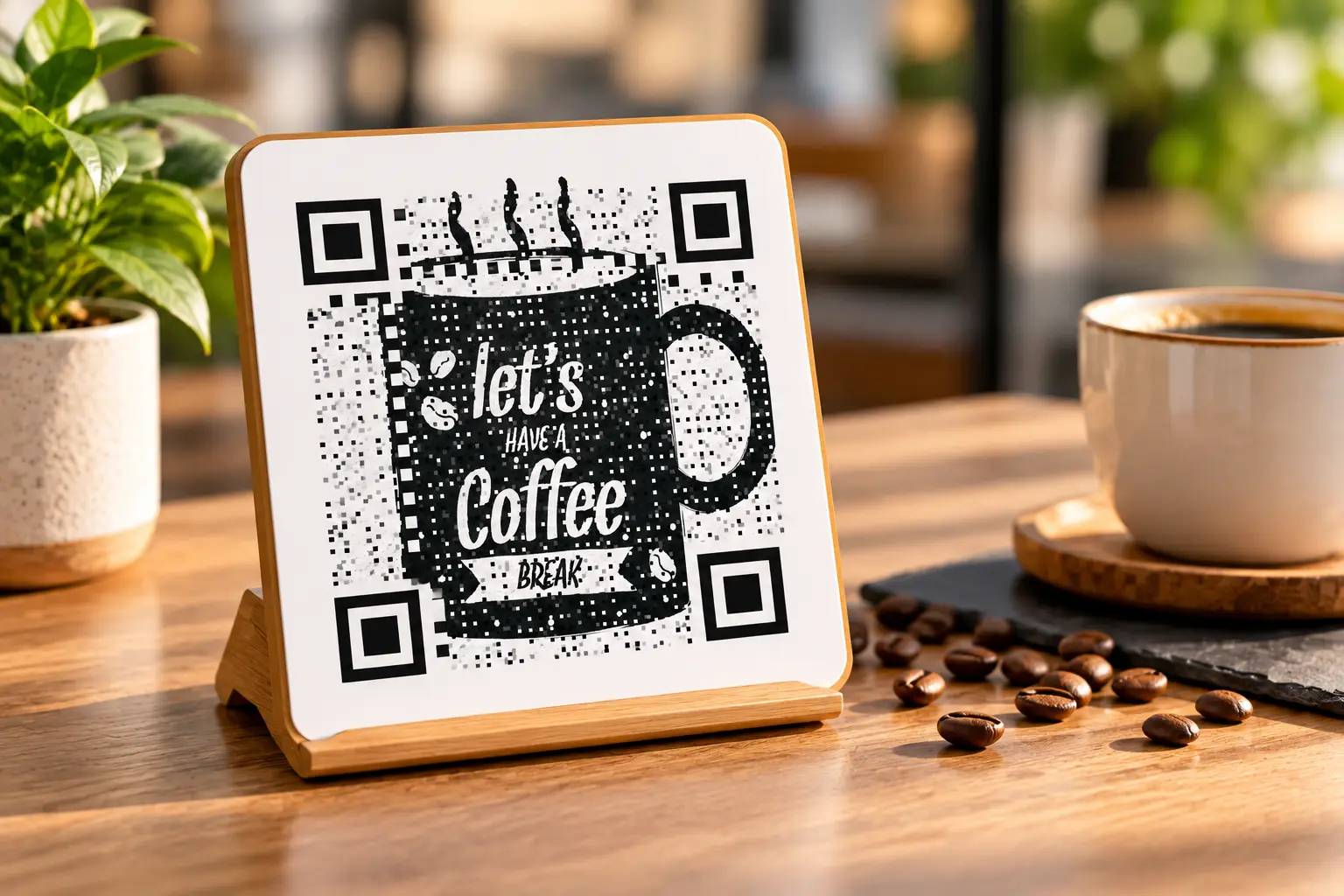
A branded QR code brings your visual identity into an otherwise familiar black-and-white square. It can incorporate your brand colours, logo, and design elements while still working like a standard QR code. The information it stores and the way it is scanned remain unchanged.
The branding simply gives the code a more recognisable appearance and helps it sit naturally within your marketing materials. When designed with sufficient contrast, a clear scanning area, and appropriate error correction, a branded QR code can look distinctive without compromising usability or reliability.
Why Branding Your QR Code Matters for Business
A code that matches your visual identity does more than just look nicer sitting on a shelf or storefront window next to everything else.
- Builds trust instantly: customers recognize your colors and feel less hesitant to scan
- Reinforces recall: repeated exposure to consistent branding sticks in a customer’s memory
- Improves campaign cohesion: a matching code ties packaging, ads, and signage together visually
- Differentiates from competitors: a plain code blends in; a branded one doesn’t
- Signals professionalism: attention to small details reflects on the overall business image
Elements of a Well-Branded QR Code
Branding a QR code involves a handful of specific design choices working together, not just slapping a logo on top and calling it done.
| Element | Purpose | Example |
| Brand colors | Matches visual identity | Blue and white for a tech company |
| Logo placement | Reinforces recognition | Centered company icon |
| Custom frame | Adds a call-to-action | “Scan Me” border with brand font |
| Shape styling | Softens the visual feel | Rounded dots instead of squares |
| Photo background | Adds personality | Product photo behind the pattern |
How to Create a Branded QR Code
Building a properly branded code takes a bit more planning than a plain one, but the process is still fast.
Step 1: Gather Your Brand Assets
Collect your logo file, exact brand color codes (hex values), and any preferred fonts before opening a generator, so you’re not guessing at colors midway through the process.
Step 2: Choose a Branded QR Code Generator
Pick a tool that supports color customization, logo uploads, and frame options together. Some QR code generators combine all three in one design panel, built specifically for businesses and students working on a limited time.
Step 3: Set the Destination Link
Decide whether the code should point to your website, a specific landing page, or a social profile. Dynamic links work well here if the destination might change later.
Step 4: Apply Colors and Logo
Match your brand’s hex codes to the code’s foreground and background, then upload your logo with error correction set to High so scannability stays intact throughout.
Step 5: Add a Frame or Call-to-Action
A simple “Scan Me” frame around the code noticeably improves engagement, since plain codes without context often get overlooked entirely on busy print materials.
Step 6: Test, Then Deploy Everywhere
Scan the finished code on multiple devices, then use it consistently across packaging, signage, business cards, and digital materials for a cohesive, recognizable presence.
Where to Use Branded QR Codes in Your Business
A branded code earns its keep wherever customers already interact with your business, so consistency across these touchpoints matters more than any single placement.
- Product packaging, linking to instructions, reviews, or reorder pages
- Business cards, linking directly to a contact-saving vCard
- Storefront windows, linking to hours, menus, or online ordering
- Print ads and flyers, linking to a specific seasonal promotion
- Invoices and receipts, linking to a feedback form or loyalty program
How Branded QR Codes are Linked to Customer Trust
A code that matches a business’s existing colors and logo signals that the scan is coming from a real, established source rather than an anonymous sticker slapped onto a surface. This matters more than it might seem, since generic QR codes have occasionally been associated with scams in news coverage, making some customers hesitant to scan unfamiliar ones.
Consistent branding across every touchpoint, from packaging to receipts, reassures customers that a code belongs to a business they already recognize, which quietly removes one small barrier standing between a scan and a conversion.
How to Measure Whether Your Branded QR Code Is Working
Branding a code is only half the job; knowing whether it’s driving engagement is the other half.
- Pairing a branded design with dynamic tracking lets a business see total scans, peak scanning times, and which placement, packaging, storefront, or print ad performs best.
- Comparing scan rates before and after a rebrand or redesign also shows whether the visual changes made any real difference.
Without this data, it’s easy to assume a nicer-looking code is working better when the numbers might tell a different story entirely.
Common Mistakes When Branding a QR Code
Even well-intentioned branding efforts can backfire if a few basic rules get skipped along the way.
- Using colours that do not print well: Colours that look vibrant on screen can appear dull or lose contrast in print. This is particularly common with pastel or very light brand palettes.
- Overloading the QR code with design elements: Adding a logo, frame, patterns, and a busy background at the same time can interfere with the code’s readability and push its error correction beyond its limits.
- Skipping a print test: Always test the QR code on the actual material and at the intended size before committing to a full print run. A quick test can prevent an otherwise good design from becoming a costly printing mistake.
Wrapping Up: Every Scan Becomes a Brand Touchpoint
A branded QR code takes the same five minutes as a plain one but leaves a lasting impression instead of a forgettable gray square. Colors, logo placement, and a simple call-to-action frame do most of the heavy lifting here.
QRKY’s branded QR code generator brings all of these tools together in one place, built for businesses that want every scan to feel like theirs.
Frequently Asked Questions
How many colors can I use in a single branded QR code?
Most generators allow two to three custom colors before contrast starts becoming a real problem for scanners. Sticking to one dark foreground color and one light background color remains the safest choice for reliable scanning.
Does branding a QR code affect how much data it can store?
No, branding only changes the code’s visual appearance, not its underlying data capacity. However, heavy styling combined with high error correction can slightly limit how long a destination URL should ideally be.
Can I use different branded designs for the same business across campaigns?
Yes, many businesses create multiple branded variations for different products or seasonal campaigns throughout the year. Just keep core brand colors consistent, so customers still instantly recognize the code as belonging to your business.
Is a branded QR code suitable for small startups with limited design resources?
Absolutely, most generators like QRKY include ready-made templates and frames, so startups don’t need a dedicated in-house designer. Uploading a logo and picking brand colors already covers most of the visual work needed.
Do branded QR codes need to be updated if my logo changes?
Static branded codes would need to be regenerated with the new logo and reprinted wherever they’re currently used. A dynamic setup won’t update the visual design automatically either, only the destination link behind it.