
College campuses are full of events. Cultural fests, workshops, club meetings, hackathons, seminars, and competitions happen almost every week.
Posters are still one of the most common ways to promote these events. They appear on notice boards, in hallways, in cafeterias, and at hostel entrances. But posters often face a problem.
Students see them but don’t always take action.
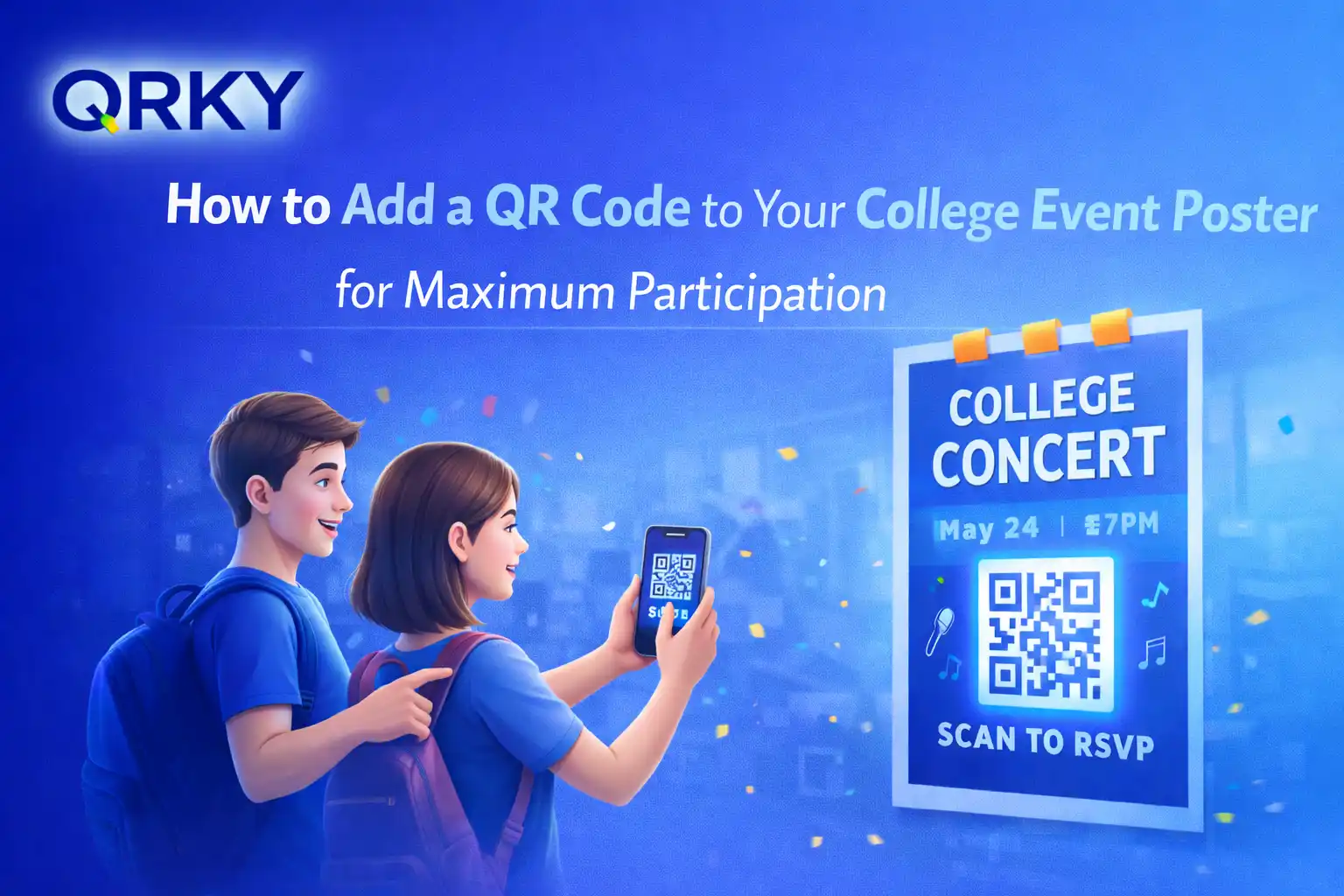
This is where a QR code for college event poster designs can make a real difference. Instead of asking students to type a long registration link or search online, a simple scan can take them directly to the event page.
This small addition can significantly increase participation.
Let’s explore how students and campus organizers can use QR codes effectively on posters.
Why QR Codes Work Well on College Event Posters
Students rely heavily on smartphones. If something is easy to access on a phone, the chances of engagement increase.
Adding a QR code for college event poster promotions allows students to instantly:
- Register for the event
- View event schedules
- Join a WhatsApp or Discord group
- Access the venue location
- Learn more about speakers or activities
Instead of remembering details from the poster, students can scan the code and access everything immediately.
This removes friction and encourages quick action.
What You Can Link Through a QR Code
Before creating a QR code, organizers should decide what the scan should lead to. The destination should help students take the next step.
Common options include:
Event Registration Page
The most common use is linking the QR code directly to the registration form.
Students can scan the poster and sign up in seconds.
Event Information Page
Some events require more explanation. A landing page can include:
- Event description
- Date and venue
- Guest speakers
- Agenda
This helps students understand the value of the event before registering.
Social Media Event Page
Clubs often promote events through Instagram or Facebook. A QR code can take students directly to the event post or page.
This increases visibility and allows students to share it with friends.
Location or Map Link
For large campuses, finding the venue can be confusing. A QR code can open Google Maps with the exact location.
This helps students reach the event easily.
How to Create a QR Code for a College Event Poster
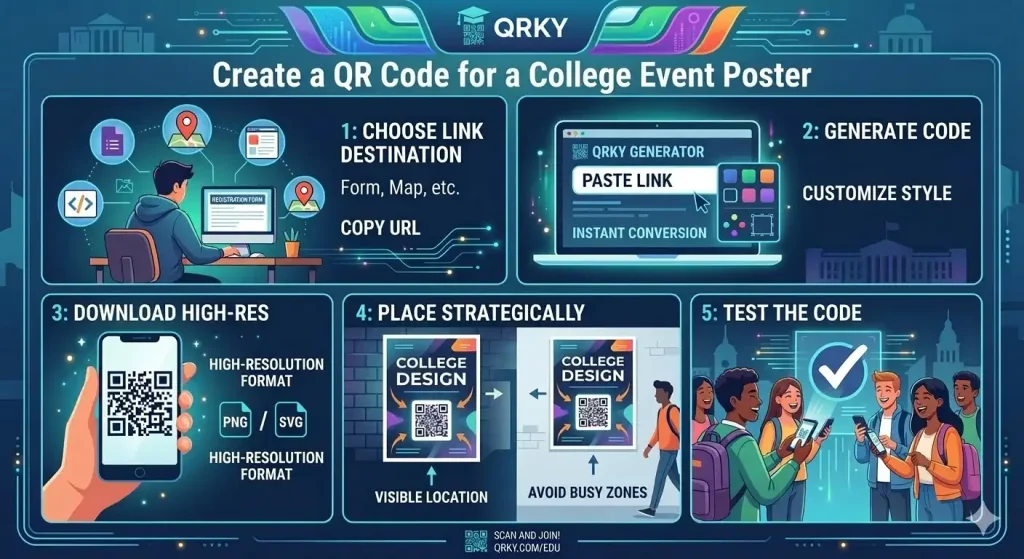
Creating a QR code is simple and only takes a few minutes.
Students can use a QR code generator to create one quickly.
Here is the basic process.
Step 1: Choose the Link
First, decide where the QR code should take students.
It could be:
- A Google Form registration link
- An event website
- A social media event page
- A map location
Copy the link.
Step 2: Generate the QR Code
Use a reliable platform like QRKY to generate the code.
Paste the link into the generator, and the tool will convert it into a scannable QR code.
A stylish QR code generator can also allow some design customization so the code fits the poster’s look.
Step 3: Download the QR Code
Download the high-resolution QR code.
This ensures the code remains clear when printed on posters of different sizes.
Step 4: Place the QR Code on the Poster
Now add the QR code to the event poster design.
Place it where students can easily notice and scan it.
Avoid placing it too close to the edges or in crowded areas of the design.
Step 5: Test the QR Code
Before printing the posters, scan the QR code using a smartphone.
Check if:
- The link opens correctly
- The page loads quickly
- The registration process works smoothly
Testing ensures there are no issues when students scan it later.
Where to Place the QR Code on the Poster
Placement matters. If the code is hidden or too small, students may ignore it.
Here are some effective placement ideas:
Bottom Center of the Poster
This is the most common and visible location.
Students naturally look at the bottom section for registration information.
Near the Call-to-Action
Place the QR code next to a message such as:
- “Scan to Register”
- “Scan to Join the Event”
- “Scan for Full Details”
This tells students exactly what to do.
Inside a Highlighted Section
Adding a small box or border around the QR code can make it stand out from the rest of the design.
Design Tips for Better Scanning
A well-designed QR code improves scanning success.
Here are some simple tips:
Keep Enough Space Around the Code
QR codes need clear space around them. Avoid placing text or images too close together.
Use Good Contrast
Dark QR codes on light backgrounds scan best.
Make the Code Large Enough
If the poster will be viewed from a distance, increase the QR code size so it remains scannable.
Avoid Overcrowding the Poster
Keep the design simple so the QR code remains easy to notice.
Why QR Codes Increase Event Participation
When registration becomes easier, more people participate.
Without a QR code, students may:
- Forget the link
- Postpone registration
- Lose interest
But when a college event poster includes a QR code, students can act immediately.
This instant access increases the chances of registration.
For campus clubs and student organizers, this means better attendance and more successful events.
Final Thoughts
College events thrive on participation. The easier it is for students to register and learn about the event, the more likely they are to join.
Adding a QR code to your event poster is a simple but powerful step.
Using a QR code generator for students allows organizers to connect physical posters with digital registration, event details, and online communities.
Platforms like QRKY make it easy to create and customize QR codes that match the design of your poster while remaining fully functional.
With a stylish QR code generator, your event posters can do more than just inform. They can guide students directly from curiosity to participation with a single scan.
FAQs
1. Why should organizers add a QR code to college event poster promotions using QRKY?
Adding a QR code to college event posters using QRKY makes it easier for students to take immediate action. Instead of typing long URLs, they can simply scan the code to access event details, register instantly, or view schedules, thereby increasing engagement and event participation.
2. How can students create a QR code for a college event poster with QRKY?
Students can easily create a QR code for college event poster designs using QRKY’s QR code generator for students. They simply paste the event registration link, landing page, or social media event page into the tool, and QRKY instantly converts it into a scannable QR code.
3. What links should a QR code on an event poster lead to when created with QRKY?
A QR code for college event poster designs created with QRKY can link to important resources such as event registration forms, landing pages, Google Maps locations, or social media announcements. QRKY’s stylish QR code generator helps create visually appealing codes that guide students directly to event information.
4. Where should a QR code be placed on a college event poster created with QRKY?
A QR code for college event poster designs generated with QRKY should be placed in visible areas such as the bottom center of the poster, near a call-to-action, or within a highlighted section. The code should remain large and clear enough for quick scanning.
5. How does QRKY’s stylish QR code generator improve event promotion posters?
QRKY’s stylish QR code generator allows organizers to customize QR codes so they match the design of their posters. When used for QR codes on college event posters, it enhances visual appeal while still providing quick access to registration pages, event details, or event updates.